



Popt 1.3 is live, featuring a significant overhaul of how you create and manage pages in Popt. We’ll take this opportunity to dive deeper into what Popt pages are and how they can fit into your note taking flow. This update also includes design and quality of life improvements, including support for the new iOS 26 transparent keyboard.
Drafts, notes, and pages
From draft to note
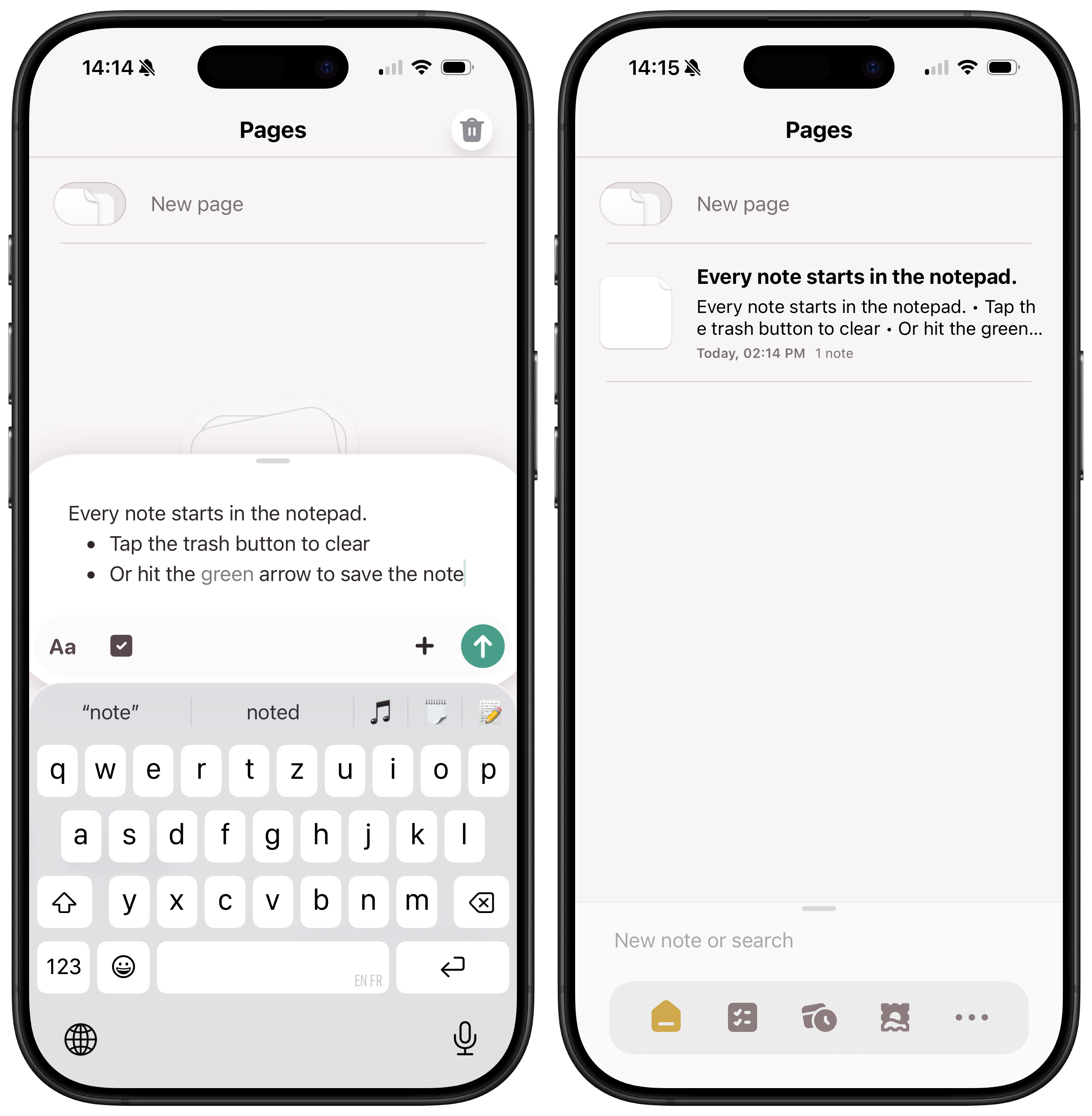
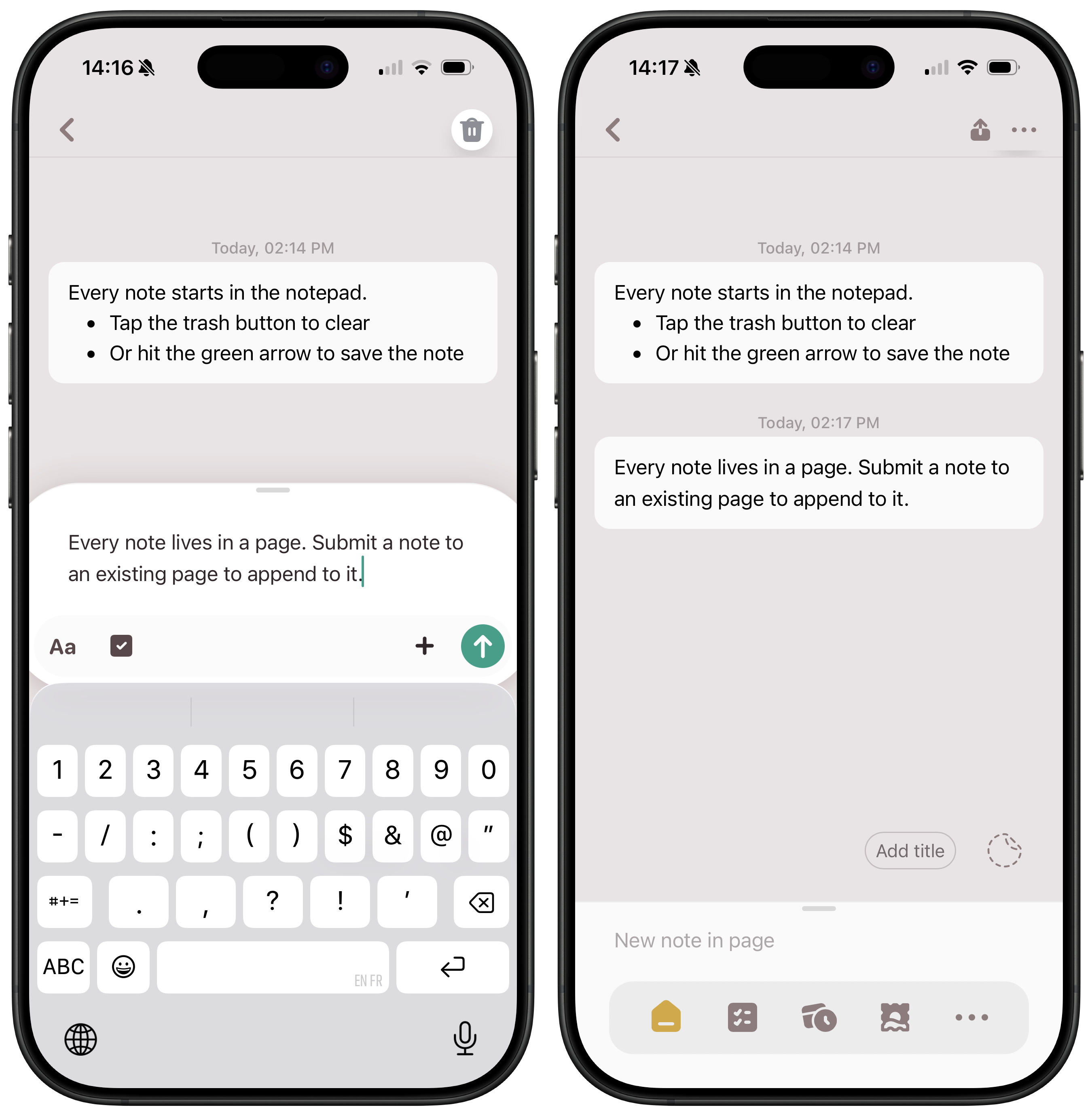
Every note in Popt starts in the notepad at the bottom of the screen. Think of it as a message draft: you write there, and can discard or submit it. What happens to the note depends on what you’re currently looking at.
- If you’re in the Pages list, the note is added as a new page:
- If you’re already viewing a page, it will be appended to it, just like a new message in a conversation:
To title or not to title?
Popt uses the first line of a page as its implicit title, but you can also give a page a custom title, and pick a sticker to make it stand out:
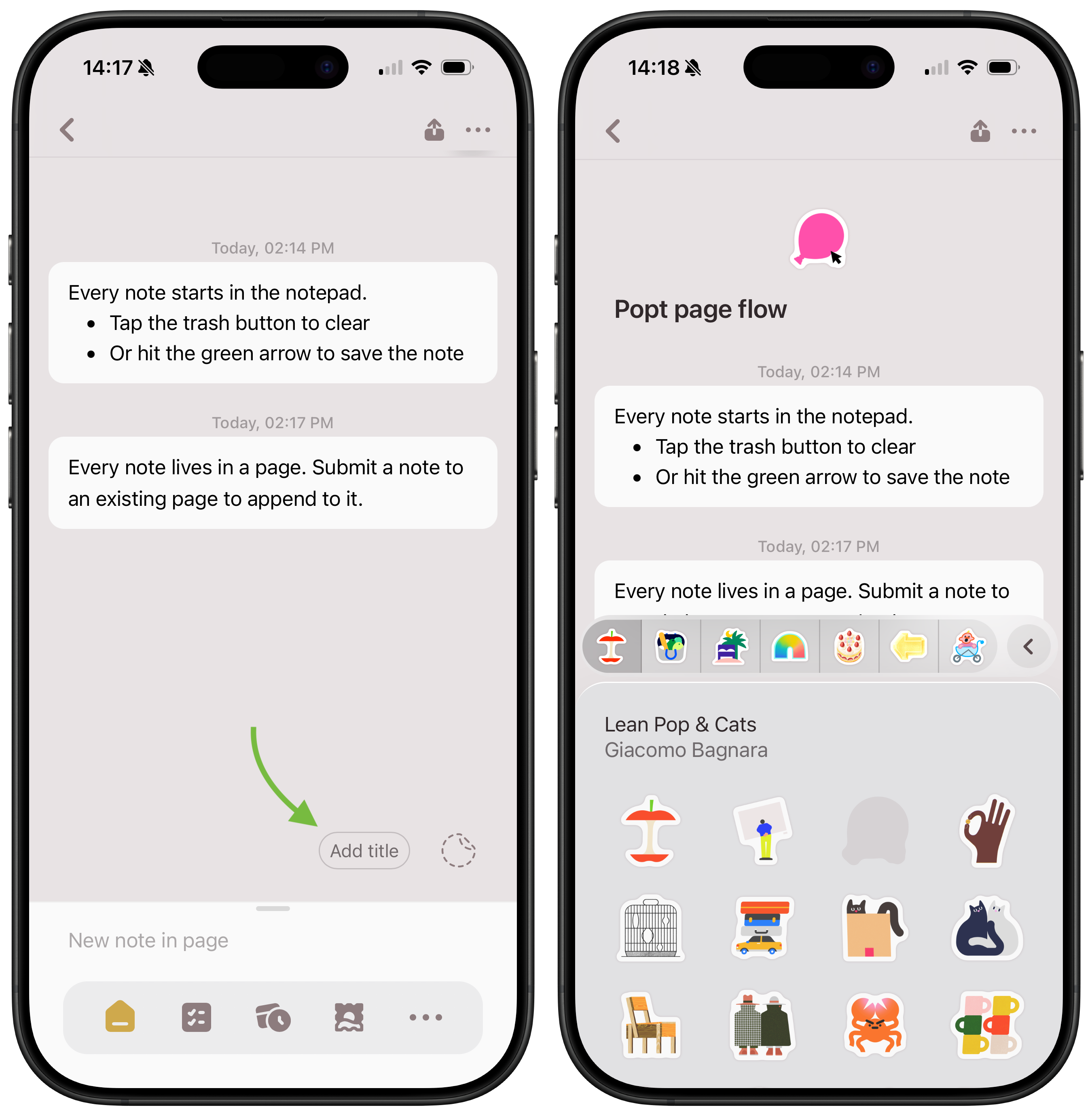
Pages which have an explicit title can be tagged elsewhere in your notes so you can navigate between them, wiki-style. Just write the title of the page and Popt will offer to tag it, or use the + menu and pick a page from the page selection popup.
It’s also perfectly OK to leave pages untitled and without a sticker – a lot of notes are not meant to be durable, so why put in the extra effort? Just leave those quick jots untitled, and delete them in a quick swipe-left gesture when you don’t need them anymore.
‘New page’ button
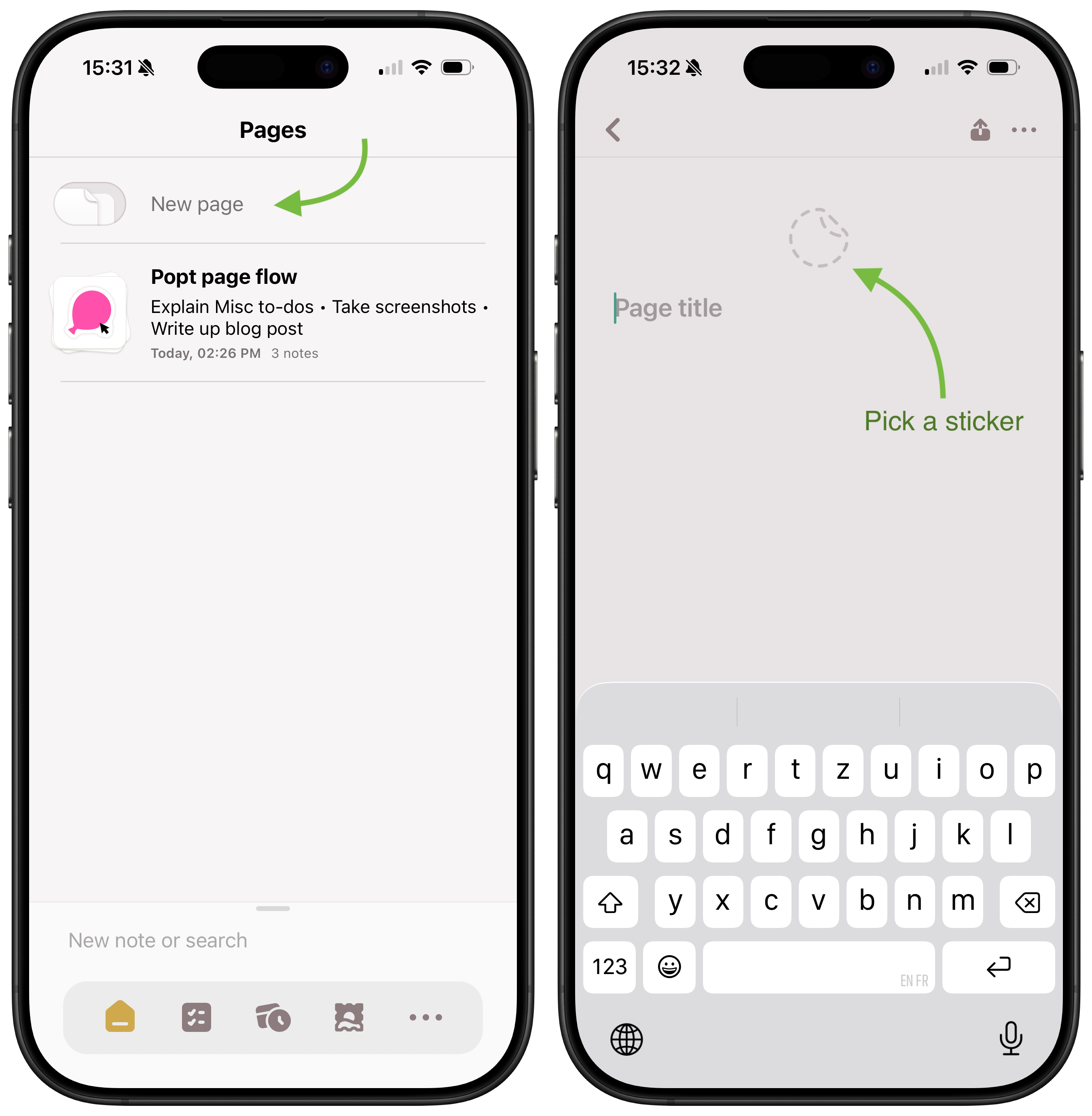
Sometimes you know you’re about to start something bigger. A project, a trip, a category of chores that’s meaningful to you… In that case, hit the New page button and you’ll immediately be taken to a fresh new page, prompted to enter its title and/or pick a sticker.
The shortcut: quick to-dos
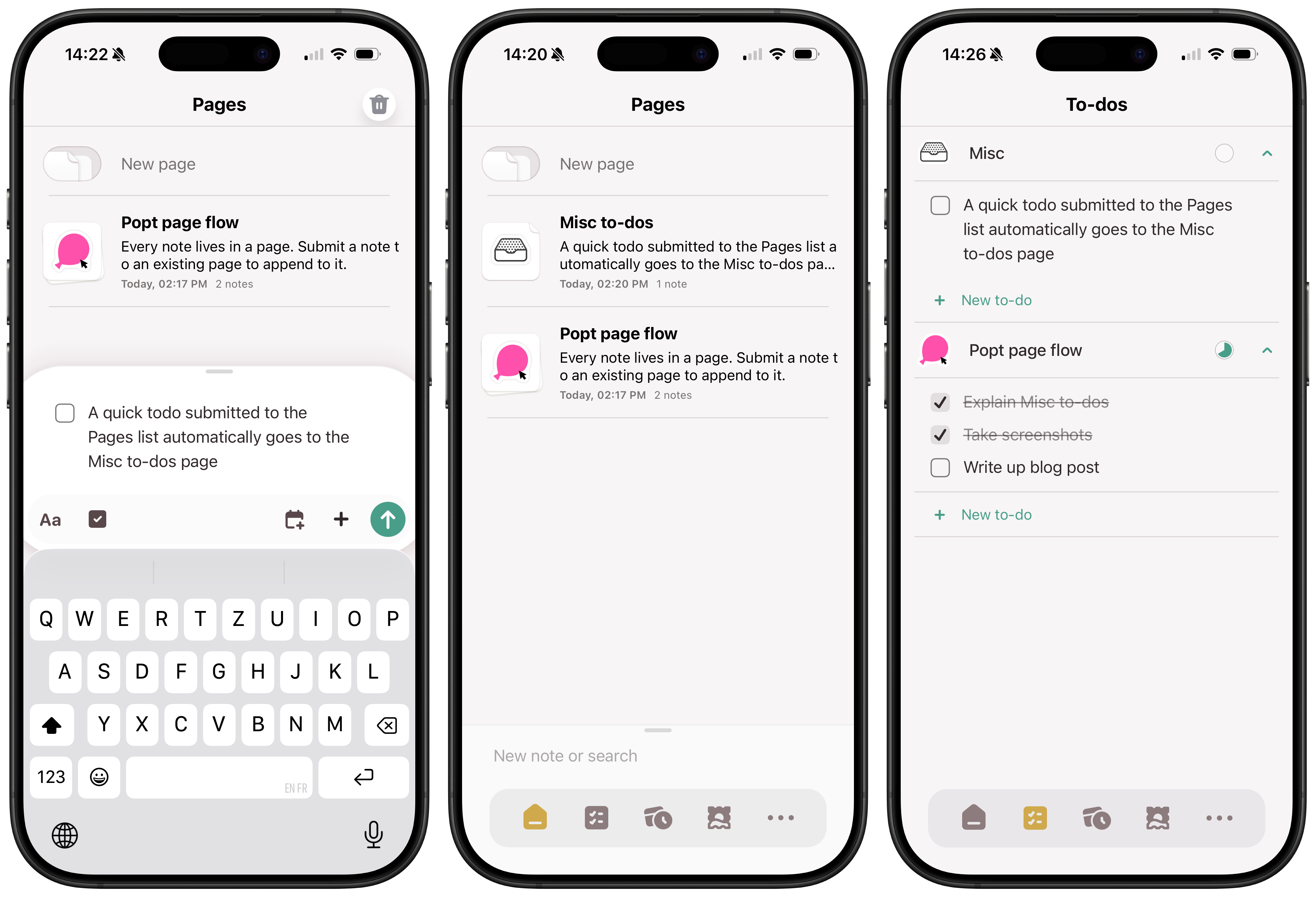
We saw above how notes you submit go to your current page or make a new page. There is one exception that we designed as a handy shortcut: if you’re submitting just a single to-do item while in the Pages list, Popt will automatically file it to the Misc to-dos built-in page. And since all to-dos are surfaced in the To-dos tab, it’ll always be super quick to find that item later.
The right flow
We believe that the right flow is your flow. Start with a note, or start with a page. Group notes together in carefully named pages, or just stick with default titles... We encourage you to experiment. If it feels, right, it is right. That being said, here are a few tips to help you make the most of Popt pages:
- Stickers make pages stand out. Use them for your important, longer lived projects: trip planning, bucket lists, journals...
- Every note in a page has its own date and time, which is great for journalling or logging.
- Don't be afraid to use the left-swipe gesture in the Pages list to quickly delete a page: you can always recover it from the Deleted pages section of Popt.
- You can use the notepad as a scratchpad, for takeaway orders for instance. No need to submit the note, just trash it when you're done!
Other changes and fixes
Already a Popt user? Here’s a list of what’s changed since the previous version:
Page management
- Renamed the Home tab from Notes to Pages
- Added a New page button at the top of the Pages list
- Editing a page's title and sticker is now fully inline
- No page title length limit anymore
- Move a note to any page, not just to titled pages
- Revamped page picker with more details and a search box
Design
- Adopted new iOS 26 transparent keyboard
- Redesigned the keyboard toolbars and formatting options
Quality of life
- Tap top of screen to scroll to top
- Clear contents of notepad with trash button
- Persist filters of collections across sessions
Fixes
- Places: improved support for tagging points of interest in Berlin
- Editor: fixed issue with autocomplete suggestions getting out of sync
- Misc: fixed rare case where a dialog popup could freeze the app
- Misc: fixed case where typing a date range could display an error
Next on Popt
We hope you'll enjoy the update and that it'll take your popting to smooth new heights. As always, please get in touch if you have any feedback or questions, an stay tuned for more Popt news!